
Keep more of what your store earns.
Connect inventory, pricing, purchasing, fuel, daily reconciliation, and accounting in one back-office platform built for convenience stores and gas stations.
Customers may be spending more, while your store keeps less.
Customers are still walking through the door, but they are choosing lower-priced alternatives, buying fewer items, and making fewer trips. From 2024 to 2025, rising operating and facility costs erased the profit from the average inside transaction and pushed it into the red.
1
1
Source: NACS State of the Industry 2025, same-firm basket analysis and consumer behavior research. Annualized figures calculated from the reported 7¢ average per-transaction operating loss and 31,814 average monthly inside transactions per store. Industry averages may not reflect the results of every individual store.
Born in a gas station.
Evolving with the industry.
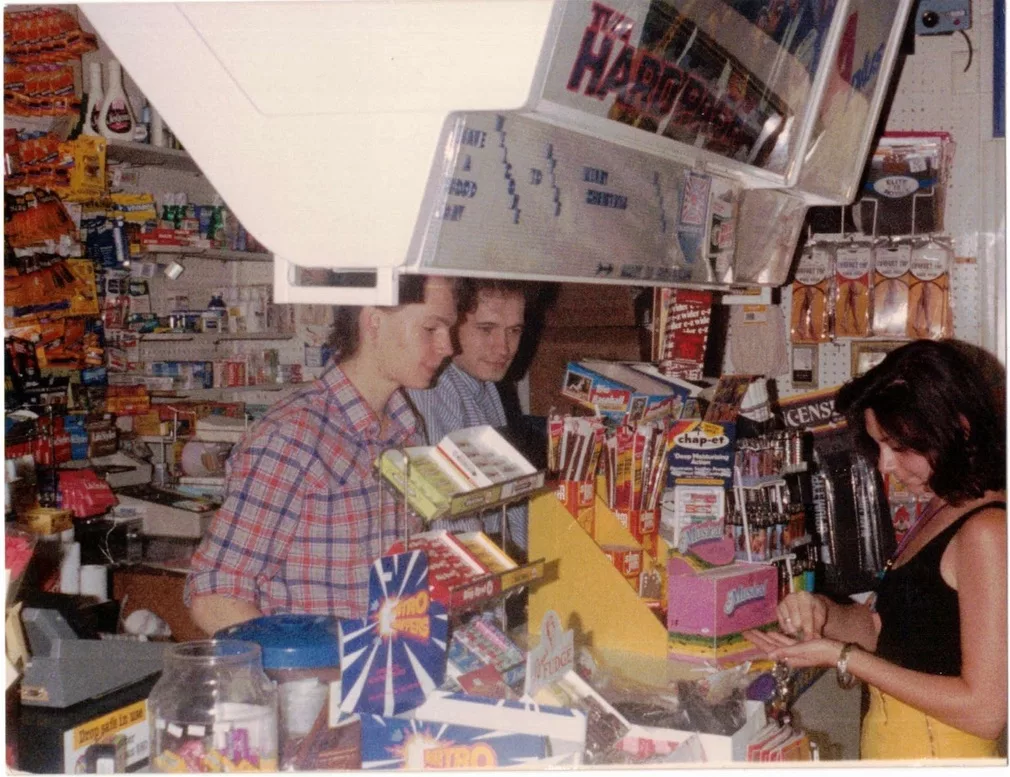
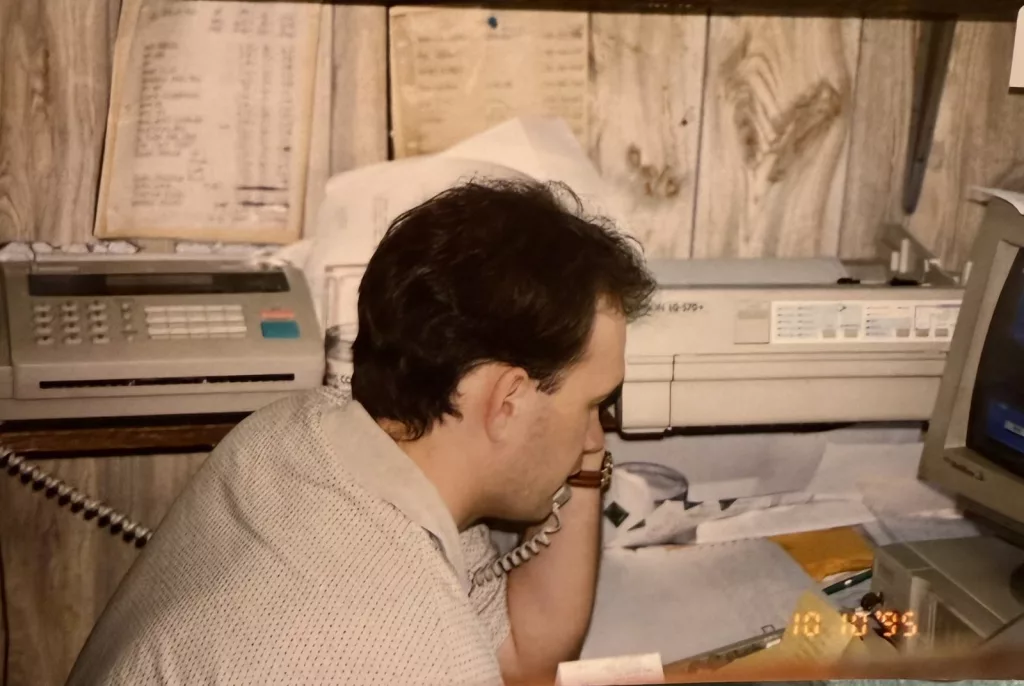
Petrosoft began when our founder and CEO, Sergei Gorloff, worked his way from cashier to manager to owner and built the back office he could not find anywhere else.
Today, we still own and operate more than 20 convenience stores and gas stations in Western Pennsylvania. That ongoing experience keeps CStoreOffice grounded in how stores actually operate, not how a software company assumes they do. What we learn from running those stores continues to shape how CStoreOffice evolves and improves.
CStoreOffice® was born in a gas station. It continues to evolve there.

Sergei Gorloff
The best operators don’t just sell more. They keep more.
Top-performing stores move inventory faster, use labor more effectively, and need far less margin from every gallon just to cover expenses. CStoreOffice brings that same operational discipline into every store — starting with the work that has to happen every single day.
Better margins begin with
what happens every day.
=
One guided path through the entire day.
Manager Daily Workflow brings the work that normally lives across paperwork, printouts, and different screens into one organized flow. It guides the manager step by step—from reviewing sales and fuel to processing purchases, balancing cash, updating inventory, and checking performance—so the day gets wrapped up faster, with less confusion and less time behind a desk.
Keep more from
every gallon.
Live ATG readings, deliveries, pump sales, invoices, pricing, and margin all come together in one place, giving you the control to reduce fuel loss and keep more profit from every gallon.
Know where every gallon went
Live tank readings, fuel sales, and deliveries work together automatically, helping you catch shortages and unexplained fuel loss sooner.
Catch fuel losses every day
CStoreOffice compares sales, deliveries, and tank inventory automatically, exposing variances before they quietly consume margin.
Protect margin when costs change
Review fuel cost, competitor pricing, and current margin together, then update prices remotely before outdated pricing costs you profit.
See what every gallon actually earns
Track sales, cost, street price, pool margin, and projected profit in one place.
Prevent runouts and costly surprises
See projected runout dates, low tank levels, connection issues, and unusual inventory movement early enough to act.
Stop losing margin before products reach the shelf.
Vendor costs change. Deliveries arrive short. Dead items get reordered while best sellers run out. CStoreOffice connects ordering, receiving, inventory, and pricing so those problems surface sooner.
Order what is actually selling
CStoreOffice uses item sales, current inventory, and projected demand to generate suggested vendor orders for each store.
Know what is coming and when
CStoreOffice organizes upcoming orders and deliveries by vendor and date, so expected shipments, missing invoices, and delivery activity are visible before they become surprises.
Verify every delivery
CStoreOffice compares what was ordered, delivered, and billed, exposing shortages, substitutions, and vendor overcharges.
Take new products from invoice to shelf
Accepted deliveries update inventory and costs automatically. New products can be created from the invoice, priced, sent directly to the register, and paired with matching shelf tags without entering the same information twice.
Open by design.
Built over decades.
For more than 20 years, Petrosoft has built the digital foundation behind convenience retail, bringing together the systems, data, and workflows that run every part of the store.
The result is the Petrosoft Cloud, an open operational foundation built to work with the technology you use today and the technology you adopt next.
Open to your operation
Connect supported POS systems, ATGs, accounting platforms, ERPs, site devices, and external sales channels without rebuilding your technology stack.
Open to your ecosystem
Connect with the vendors, wholesalers, manufacturers, platforms, and partners your business depends on.
With open APIs and flexible data exchange, Petrosoft can support new connections as your business grows.
Open to your AI
Petrosoft MCP lets you connect the AI tools your business chooses directly to Petrosoft Cloud.
Because MCP is built on an open standard, you are not locked into one assistant, model, or vendor.
LIVE
Beyond the essentials. Built for the whole operation.
More than enough to run the store. And this is only the shortlist. Explore the CStoreOffice features behind inventory, pricing, fuel, daily close, accounting, reporting, and more.
Price Book, Pricing & Promotions
Keep every item, retail price, promotion, and shelf tag accurate across one store or an entire chain.
Manage your price book and send changes to every register
Manage items, prices, descriptions, taxes, and promotions in one place, then send every approved change from CStoreOffice or Retail360 directly to the register.
Set prices by store, region, or group
Use one price across the company or create different price zones for specific regions, store groups, or individual locations.
Change hundreds of prices at once
Update prices for large groups of items and send the changes to one store or every store without editing products one at a time.
Add new items faster with UPC data
Scan or enter a UPC to fill in the product name, image, size, manufacturer, and register description automatically.
Let CStoreOffice clean up incomplete and outdated items
CStoreOffice identifies unknown items, missing descriptions, disconnected products, and outdated entries, finds the correct product information, and gives you the changes to review and approve.
See every price book change and undo mistakes
Review what changed, when it changed, and who changed it, then restore a previous version without affecting past sales.
Print shelf tags that match the register
Print shelf labels from the web or mobile app after price changes so the shelf and register stay consistent.
Create custom shelf tag designs
Build your own shelf tag templates with the product details, pricing, formatting, and branding your stores need.
Change the price of an entire group of items at once
Create Price Groups for items that share the same retail price, then update the whole group at once while every product keeps its own UPC and item identity.
Build promotions with reusable groups of items
Create Promo Groups for related products, then use the group in discounts, mix-and-match offers, and other promotions without adding every item one at a time.
Create promotions that start and stop automatically
Build mix-and-match offers, combo deals, buydowns, and time-based promotions with scheduled start and end dates.
Organize items with custom tags
Tag items in any way your business needs, then use those tags to group products, make price book changes, build orders, and view reports.
Inventory Management & Shrink Control
Know what is on hand for every item
Inventory updates with every sale, delivery, transfer, and adjustment so you always know how many units you have, what you paid for them, and what they are worth at retail.
Count all inventory or only selected items
Run full physical inventories or smaller cycle counts and compare the count with what CStoreOffice expected to be on hand.
Count inventory from the sales floor
Use Retail360 to scan and count items in the aisle, then send the completed count directly back to CStoreOffice.
Record shrink, waste, damage, and write-offs
Document why inventory was removed and keep a clear history of spoilage, breakage, theft, and other losses, with photos attached to the record when needed.
Move merchandise between stores
Create and receive store transfers with a record of what left one location and what arrived at the other.
Use movement intelligence to see what is selling and what is not
Understand how every item moves with best-seller, slow-mover, dead-inventory, average daily sales, and days-of-stock insights so purchasing and shelf space follow actual demand.
Find stockouts and excess inventory
Identify items that are running low, already out of stock, or tying up cash because too much was ordered.
Track inventory cost and cost of goods sold
See item cost history, inventory value, and daily cost of goods sold using the accounting method selected for each location.
Ordering, Receiving & Vendor Management
Move from purchase order to delivery to invoice with fewer manual steps and clearer cost control.
Let CStoreOffice generate the order for you
CStoreOffice uses movement intelligence, inventory levels, sales patterns, and item-level demand to build the order. Review it, make any changes, and click Generate.
Create and manage purchase orders
Build orders by vendor, send them through the ordering process, and receive the delivery against what was originally requested.
Receive EDI invoices automatically from hundreds of vendors
CStoreOffice connects with hundreds of wholesalers and vendors so electronic invoices arrive automatically with item matching, quantity validation, and cost updates. New vendor connections can also be added when your business needs them.
Scan deliveries as they arrive
Use barcode scanning to check in merchandise, create receiving invoices, and handle partial deliveries or substitutions.
Compare the order, delivery, and invoice
Check what you ordered against what arrived and what the vendor billed before accepting the invoice.
Catch vendor cost changes before accepting the invoice
Flag unexpected cost differences so they can be reviewed before they affect pricing, margin, or payment.
Know when an expected invoice is missing
Learn each vendor’s normal delivery schedule and alert the team when an expected electronic invoice does not arrive.
See upcoming orders and deliveries
View vendor orders, expected deliveries, and invoices on a calendar so the team knows what is coming next.
Fuel Inventory, Reconciliation & Pricing
Connect fuel sales, tank readings, deliveries, costs, and street prices in one fuel management system.
Read tank levels automatically from the ATG
Connect Veeder-Root or OPW tank gauges to bring in tank levels, deliveries, water readings, and ullage without manual entry. Schedule automatic email readings for consistent updates throughout the day.
See current fuel inventory by tank and grade
Combine tank readings, fuel sales, and deliveries so gallons on hand stay current throughout the day.
Know when each fuel grade is likely to run out
Fuel movement intelligence uses tank inventory and sales patterns to project remaining days of supply, so you know when another delivery will be needed.
Verify fuel deliveries against the BOL and tank reading
Compare the bill of lading, invoice, and actual tank delivery—including fractional gallons—to catch shortages or entry mistakes.
Reconcile every gallon sold each day
CStoreOffice compares fuel sales with tank movement and deliveries for every tank, then calculates the daily over or short automatically.
Get alerted to fuel losses and delivery problems
Flag sudden inventory drops, suspected leaks, failed reconciliations, and delivery mismatches that need attention.
Create SIR reports automatically
Prepare statistical inventory reconciliation records and maintain the fuel history needed for U.S. and Canadian compliance.
Change fuel prices from anywhere
Send new street prices from CStoreOffice or Retail360 and see whether the register accepted, rejected, or timed out on the change.
Track fuel margin by grade
See cost, retail price, gallons sold, gross margin, and pool margin as fuel prices and costs change.
Compare your fuel prices with nearby competitors
Track competitor prices by grade and payment method, including AI-sourced prices available in Retail360.
Daily Close, Cash & Store Reconciliation
CStoreOffice brings the entire store day together, calculates what does not match, and guides managers directly to the numbers that need an explanation.
Start with every completed shift already in one place
Closed shifts and sales arrive automatically from the register, so managers begin with the store data already organized and ready to review.
Follow one guided path through the daily close
Manager Daily Workflow puts sales, cash, fuel, lottery, invoices, and expenses in the right order so nothing important is overlooked.
Let CStoreOffice find what does not match
Expected register totals are compared with cash, card payments, other tenders, deposits, and supporting records so managers can focus on the differences.
Have cash over or short calculated automatically
CStoreOffice calculates the variance for each shift and day. The manager only needs to investigate and explain where the difference came from.
Reconcile fuel and lottery as part of the same store day
Fuel and lottery results are included alongside the rest of the daily close instead of being handled through separate disconnected processes.
Catch missing information before the day is closed
CStoreOffice identifies unfinished tasks, missing records, and unresolved differences before they can carry forward into accounting.
Approve clean numbers before they reach accounting
Managers review and accept the completed day only after the important variances have been resolved or explained.
Lock the completed day
Protect approved shifts, invoices, fuel, lottery, expenses, and house accounts from later changes unless an authorized user reopens the day.
Convenience Store Accounting
Carry operational data from the register and receiving desk into a complete convenience store accounting workflow.
Build accounting from daily store activity
Turn accepted sales, purchases, fuel, expenses, and other daily transactions into a complete general ledger.
Manage vendor bills and accounts payable
Create payables from accepted invoices and track vendor balances, due dates, credits, and payments.
Manage house accounts and accounts receivable
Track customer balances, invoices, payments, statements, aging, and credit limits.
Create journal entries automatically
Post daily store activity to accounting without re-entering the same numbers in a separate system.
Manage deposits and bank activity
Track deposits, transfers, bank accounts, and reconciliations while keeping them connected to the store day.
Handle credits, payment terms, and recurring entries
Manage credit memos, vendor terms, and transactions that repeat on a schedule.
Produce financial statements
Create a trial balance, profit and loss statement, balance sheet, and cash flow statement from your store data.
Send accounting data to QuickBooks
Synchronize CStoreOffice data with QuickBooks so daily store activity does not have to be entered twice.
Export to Sage, Dynamics, MAS 90, and other accounting systems
Send journal-ready data to your existing financial system using prepared export formats.
Reporting, Live Sales & Business Intelligence
Turn every part of your store data into answers, with more than 250 reports, live transaction visibility, dashboards, and reporting built for convenience retail.
Choose from more than 250 convenience store reports
Search reports across shifts, sales, fuel, inventory, purchasing, accounting, price book, payroll, HR, lottery, and other store data from one reporting platform.
Watch register transactions through live sales
The Cash Register Journal uses the live PJR transaction feed, so each sale appears within about five minutes—along with voids, cancels, refunds, and no-sales—instead of waiting for the shift to close.
Build custom reports with the fields you choose
For supported report builders, choose the rows, columns, filters, grouping, and sorting you need, then save the layout for repeat use.
See profit, margin, inventory, fuel, and operations in one place
Use dashboards and reports to connect sales with cost, inventory movement, fuel performance, accounting results, and operational exceptions.
Compare performance across every location
View multiple stores side by side, rank results, compare trends, and move from the company level down to a specific location or item.
Bring exceptions and unusual activity to the top
Surface missing data, unexpected changes, reconciliation problems, and other red flags without searching through every report manually.
Schedule reports to arrive automatically
Send selected reports to owners, managers, and accountants on a recurring schedule.
Export and share reporting data
Download reports in PDF, Excel, or CSV formats for analysis, accounting, or other outside workflows.
Lottery, Tobacco & Industry Programs
Manage lottery operations in CStoreOffice, with supported tobacco manufacturer programs available through the Petrosoft Scan Data add-on.
Track lottery inventory and reconcile each day
Manage lottery packs, activations, sales, payouts, settlements, and expected balances in the same back office.
Scan and track scratch ticket packs
Record ticket packs and serial information as games are received, activated, sold, and closed.
Report lottery sales, payouts, and settlements
Review lottery activity by store and period, including sales, payouts, commissions, purchases, and settlement amounts.
Find lottery overages and shortages
Compare expected lottery results with actual inventory and sales to identify unexplained differences.
Prepare tobacco scan data reports
Create item-level tobacco sales files for supported manufacturer and scan-data programs.
Receive tobacco promotions automatically from supported manufacturers
CStoreOffice receives supported tobacco promotions from Altria and other participating programs, applies them to the account, and sends eligible offers to the register automatically.
Apply tobacco discounts and track program reimbursements
Keep supported buydowns and discounts connected to the correct items and stores, then track the reimbursement activity tied to those programs.
Control access to age-restricted departments
Limit who can view or change sensitive departments and keep a history of those actions.
Mobile Store Management
Complete back-office work and keep the store’s most important numbers in view from the aisle, delivery area, forecourt, or anywhere else the manager needs to be.
Manage the store from your phone
Use Retail360 to access CStoreOffice reports and complete common back-office tasks away from the office computer.
Keep 14 reporting widgets in your pocket
Track store sales, gross profit margin, profit and inventory by category, adjustments, fuel sales, fuel profit, pool margin, price history, fuel inventory, and more from customizable mobile widgets.
Scan an item to see sales, inventory, cost, and margin
Look up an item from the aisle and immediately see how it is priced, how much is on hand, how fast it sells, and what it earns.
Count and adjust inventory from the aisle
Run cycle counts and record inventory corrections where the merchandise is located.
Generate orders and check in deliveries
Let CStoreOffice build the suggested order, then review it, compare a delivery with the order, and receive merchandise from the phone.
Add new items from the aisle
Scan a new product and add or update its price, description, size, category, department, manufacturer, and other price-book information.
Print shelf tags from the phone
Send shelf labels to a supported mobile label printer or a regular printer loaded with shelf-tag paper.
Record waste and damage with a photo
Create a write-off at the moment the problem is found and attach a photo to document what happened.
Transfer merchandise between stores
Create and receive store transfers from the sales floor while keeping the full transfer record in CStoreOffice.
Work even when the internet does not
Retail360 downloads your price book directly to the device, so item scanning and price book work can continue even in areas with weak or unavailable internet. Scan products, look up item information, and keep working without waiting for a connection.
POS Integrations, APIs & Operational Control
Connect the POS, vendors, accounting systems, and corporate data tools you already use, while the dedicated DC Box keeps store data moving and protected at the site.
Connect with the POS systems convenience stores already use
Connect CStoreOffice with Verifone Commander, Gilbarco Passport, NCR, Bulloch, Nucleus, Square POS, and other supported register systems.
Send changes to the register and bring sales back automatically
Move items, prices, descriptions, taxes, promotions, and fuel-price changes to the site while shifts, sales, and transaction data return to CStoreOffice.
Keep store data running through the dedicated DC Box
Instead of depending on software installed on a local office computer, the purpose-built DC Box connects the store to CStoreOffice, keeps gathering site data, and stores it locally when the cloud connection is unavailable.
Back up store data even during an internet interruption
The DC Box continues collecting supported register and site data while offline, then forwards it when connectivity returns so the store does not lose the day.
Connect CStoreOffice to other business systems with APIs
Use APIs for items, sales, inventory, cycle counts, purchases, journals, fuel invoices, lottery, and other operational data.
Exchange data using convenience-store industry standards
Support Conexxus, NAXML, EDI, XML, JSON, and other common formats used by retailers, vendors, accounting systems, and enterprise data platforms.
Control what each user can see and change
Set permissions by role, module, task, store, and approval level so each person sees only the work and data they need.
Review extensive logs of changes, approvals, and system activity
Trace what changed, who changed or approved it, when it happened, and how data moved through the system when a question needs to be investigated.
Protect accounts with single sign-on and multifactor authentication
Use supported SAML or OAuth sign-in and add multifactor authentication for stronger account security.
Use AI to diagnose missing shifts and connection problems
AI reviews site equipment, connection history, pending shifts, and data flow to explain why information did not arrive and recommend the next action.
Use AI to troubleshoot vendor and EDI setup
AI helps identify missing invoices, reviews vendor configuration, and guides corrective setup so expected purchasing data can begin flowing again.
Use AI to repair setup and standardize new locations
AI can help configure or repair the chart of accounts, apply an existing setup to another store, and make reviewable changes that reduce repetitive configuration work.
You run the store. We’ll get CStoreOffice running.
We prepare your system, connect your store, and train your team so you can get up and running without disrupting the business.
We get to work
Connect your store
Bring your price book
Go live the same day
We stay involved after go-live
Account Management check-ins
Free live training every month
24/7 support
Built for the people who actually run the store.

75% better shrink in year one
“With a uniform price book, we can keep our pricing consistent across all of our stores and cash registers.”
75% less manager paperwork
“We’ve managed to cut the manager’s paperwork time by about 75%. That gets the manager back out on the floor.”
“Working with the Retail360 app has improved our inventory management and made writing off products much easier.”
“The customer support is unmatched. From day one they have been there every step of the way.”
“Their entire team made the fast-tracked, last-minute changes on our end a super easy transition.”
Completed a large takeover and got online the same day.
Frequently asked questions.
The questions convenience store owners and operators ask most often before switching to CStoreOffice—covering equipment compatibility, installation, data migration, day-to-day operations, accounting, and support.
Will CStoreOffice work with my current cash register and equipment?
CStoreOffice integrates with leading systems including Verifone, Gilbarco Passport, NCR, Bulloch, Nucleus, Square POS, and more. You can keep the registers, tank gauges, and accounting software you already use.
Will installation interrupt my register or store operations?
No
Your operations will not be affected while CStoreOffice is connected and configured.
Can Petrosoft transfer my existing price book and store data?
Yes
Once the DC Box is connected, CStoreOffice can download the price book and store data already in your cash register, saving you from sending spreadsheets or rebuilding everything manually.
What happens if my internet goes down?
Your registers continue operating, and the DC Box stores supported data locally. Once the connection returns, that data is automatically sent to CStoreOffice.
What training and ongoing support are included?
You receive guided onboarding, 24/7 support, Petrosoft University, free live monthly training, and ongoing Account Management check-ins. Help remains available long after installation is complete.
Will CStoreOffice create more work for my managers?
No
CStoreOffice automatically collects register data and organizes daily tasks into one guided workflow, reducing manual entry and helping managers finish their paperwork faster.
How does CStoreOffice keep my inventory accurate?
Inventory updates as items are sold, received, transferred, counted, or written off. Managers can compare expected inventory with physical counts and investigate differences down to the item.
What does CStoreOffice do that QuickBooks does not?
QuickBooks manages accounting, while CStoreOffice manages what happens inside the store, including shifts, inventory, fuel, invoices, pricing, lottery, and daily reconciliation. It prepares accurate operational data before it reaches your accounting system.
Can CStoreOffice connect with QuickBooks or my current accounting system?
Yes
CStoreOffice supports QuickBooks Desktop and Online, along with Sage, Microsoft Dynamics, MAS90, and other accounting or ERP systems.
Is CStoreOffice suitable for both single stores and multi-store operators?
Yes
Independent owners can manage one location, while larger operators can control pricing, inventory, reporting, users, and performance across every store from one account.
Ask us about your specific setup.
Tell us what’s making your stores harder to run.
We’ll focus the demo on the problems you actually want to solve.
Free. No commitment. No generic sales presentation.
A Demo Built Around Your Business
Tell us what is taking too much time or causing problems.
We focus only on the workflows relevant to your operation.
See exactly how CStoreOffice could solve those challenges.