
Estimated reading time: 6 minutes
It happens all the time where a store owner realizes they are losing money to shrink and their first instinct is to run out and buy a 16-channel DVR system with the highest resolution possible. Shrink is a massive problem in our industry; according to the National Retail Federation (NRF) National Retail Security Survey, the average shrink rate has increased to 1.6 percent, which represents over $112 billion in losses across the retail sector. For a c-store, where margins are already tight on fuel and tobacco, that one percent is the difference between making payroll or coming up short.
The problem is that most people overspend on the hardware but underspend on the actual strategy. You can have a 4K camera pointing at every aisle but if you cannot see what is happening at the register during a transaction, you are just watching your money walk out the door in high definition. The smartest approach starts with protecting the most vulnerable part of your business: the POS and the cashier. By integrating surveillance and LPA (Loss Prevention Analytics) with a convenience store POS system like SmartPOS® and back office software like C-Store Office®, this turns those “passive” cameras into active tools for profitability.
Why Most C-Stores Overspend on Camera Systems
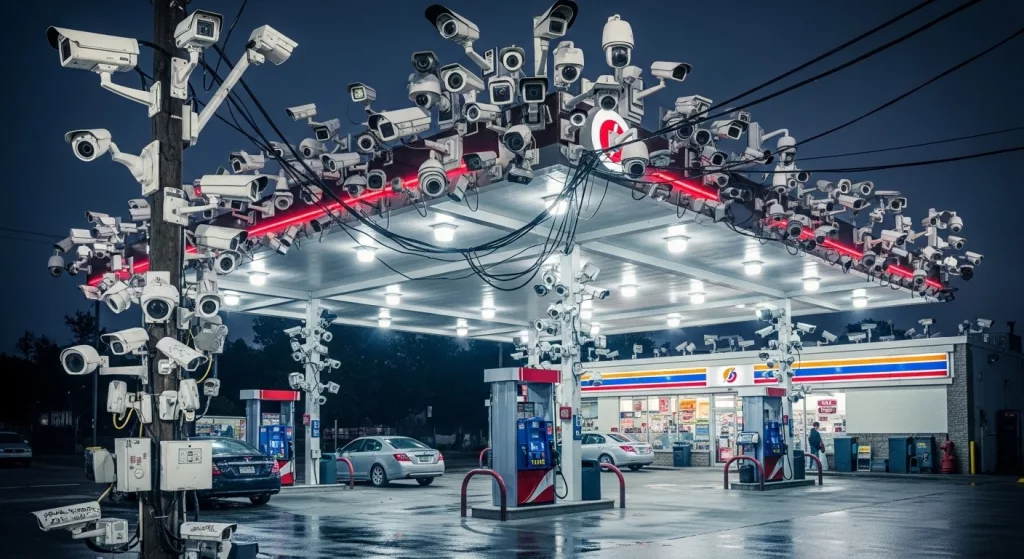
There is a huge myth that “more cameras equals more protection.” I have seen owners install thirty cameras and still fail an age verification audit because none of the lenses were actually focused on the ID being presented at the counter. When you buy too much hardware without a plan, this leads to paying for features that never get used and storage space for footage of the soda cooler that nobody will ever watch.
The real risk is not usually a masked robber in the middle of the night, it is the slow bleed at the counter. National Association of Convenience Stores (NACS) data often highlights that internal theft and operational errors are significant contributors to bottom-line losses. Think about refund fraud, “sweethearting” where friends get free items, or discrepancies in high-value items like lottery and tobacco. If your camera system is standalone, this requires you to manually scrub through hours of video to find one suspicious void. That is a waste of your time.
Step 1 – Protect the POS and Cashier First
Before worrying about the parking lot, nailing down strategic camera placement at the register is the priority. This involves an overhead POS camera (like Petrosoft Eagle Eye) that shows the entire counter, a close-up on the cash drawer to see the bills being swapped, and a customer-facing angle to capture faces clearly. I actually heard about an owner who caught a “ghost refund” scam where the cashier was ringing up fake returns for cash but because the camera was linked to the transaction data, the owner saw the “Refund” alert pop up and matched it to a video of an empty counter.
The POS system is really the heart of any loss prevention program. Using SmartPOS® with LPA provides much better tracking of things like voids, price overrides, and those tricky age-restricted sales. If a cashier overrides a price on a carton of cigarettes, seeing exactly why that happened is necessary. Speaking of tobacco, did you know that some stores are seeing a rise in “vape” related theft? Anyway, making sure your cameras are synced with your POS data is the only way to catch these things without losing your mind and Petrosoft LPA was the pioneer of this technology.
Step 2 – Connect Camera Data to Your POS & Back Office Software
Standalone cameras do not deliver a real ROI because they do not talk to your data. They are just digital wallpaper. When integrating your LPA video with C-Store Office®, this results in what we call “exception-based reporting.” Instead of watching sixteen hours of footage, the LPA system identifies that there were five refunds over $20 (high risk transactions) today and provides a direct link to the video which saves an incredible amount of time because nobody has the patience to sit in a back office for three hours watching a screen especially when there is orders to put away and customers to deal with.
This kind of transaction monitoring gives you multi-location visibility and a clear audit trail. This enables checking if a specific employee is consistently having “drawer issues” across different shifts. It is also great for when you are at home or at the warehouse because you get mobile visibility on your phone with Retail360 to check those LPA flagged exceptions without having to drive to the store. Using LPA retail loss prevention analytics software does the heavy lifting so focusing on ordering and marketing becomes easier.
Turning Surveillance Into a Growth Tool
Reducing shrink effectively increases your margin without having to sell a single extra gallon of gas. Even a 1% reduction in shrink has a massive impact on your yearly profit. This also encourages employee accountability. When staff knows the system flags suspicious transactions, following the SOPs becomes the norm. It also provides a great tool for training; showing a new hire exactly where a mistake occurred during a busy rush is very effective.
This also improves the customer experience. If there is a dispute over change or a “he-said-she-said” situation, having the data and the video allows for resolving it in seconds. This keeps the line moving and results in happy customers.
How to Add Cameras Without Overspending
To keep costs down, starting with high-risk zones only is the way to go. Do not feel like every square inch of the back storage room needs coverage on day one. Investing in a scalable system allows for adding channels later. The most important thing is the integration, not the brand of the plastic camera housing.
Building a real loss prevention program means combining your retail loss prevention systems with back office analytics and clear rules for your employees. It is a total ecosystem. Using tools like SmartPOS®, Loss Prevention Analytics (LPA) and C-Store Office® provides a way to future-proof your store. These systems are becoming AI-ready and offer mobile visibility so checking on the store from a phone while at home is possible.
The Petrosoft Approach: Protect First. Grow Second.
Our philosophy is simple: secure the POS, connect your systems, analyze the data, and then use those insights to drive profitability. Security should not just be a cost on your P&L; it should be something that pays for itself by catching errors and preventing theft. It all starts with keeping your POS and your cashier safe.
FAQ for Owner-Operators
Is replacing all my old cameras necessary to use Petrosoft LPA software?
Not necessarily. Many modern IP camera systems integrate with our LPA software using DC boxes or specific Buffalo Box DVR/NVR setups, but the best results come from a fully integrated SmartPOS® setup.
How much time is required to review these reports?
That is the beauty of it. Instead of hours, it takes minutes. The LPA high risk/exception-based reporting highlights only the “red flag” events, so only watching what matters is required.
Does this help with my insurance premiums?
Many insurance providers look favorably on stores that have documented loss prevention programs and integrated surveillance, though checking with your specific agent is recommended.
Is it hard to train my managers on this?
If they use a smartphone, they can use Retail360 and C-Store Office®. The interface is designed for busy people who do not have time for complex technical manuals.
Learn how Petrosoft’s Loss Prevention Analytics (LPA), SmartPOS® and C-Store Office® help protect your store and grow your profits. Request a demo today.